
Yalla Ludo game 2026 | Latest App Overview, Features & Tips
30 min ago
283
V1.3.2.0
android & iOS
100 M+
Description
Yalla Ludo is a multiplayer board-game app that combines Ludo with other games, social features, and real-time voice chat. The current Google Play listing describes it as a combination of Ludo, Domino, and Jackaroo, along with voice-chat rooms and different game modes.
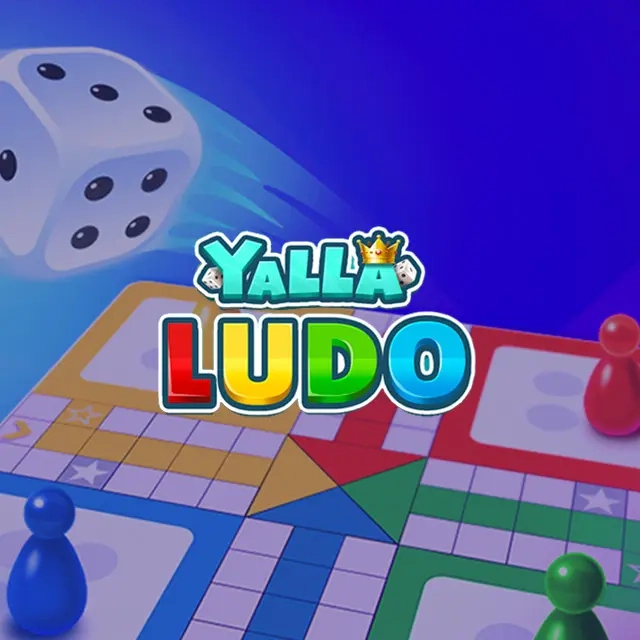
The game is particularly designed around playing and socializing with other players. According to Yalla Technology, Ludo Yalla is one of the company’s flagship gaming applications and focuses on online versions of popular board games with in-game voice chat.
What Is Yalla Ludo?
ultimate strategy board game on Yalla Ludo.
This App is a mobile multiplayer game where players can enjoy traditional board games in an online environment. Its main attraction is that it combines Ludo gameplay with social interaction, allowing players to communicate through voice chat while playing.
The current version includes different Ludo formats, Domino modes, Jackaroo, public voice-chat rooms, rewards, and other social features.
Unlike a basic Ludo app, Yalla Ludo is built around both gaming and social interaction.
Yalla Ludo at a Glance
| Feature | Details |
|---|---|
| Game Type | Board & Casual Game |
| Main Games | Ludo, Domino, Jackaroo |
| Multiplayer | Yes |
| Voice Chat | Yes |
| Ludo Players | 2 & 4 players and Team mode |
| Ludo Modes | Classic, Master, Quick, Arrow |
| Domino Modes | Draw Game, All Five |
| Rewards | Golds, Diamonds, Gifts and other rewards |
| Platform | Android and other supported platforms |
| Developer | Yalla Technology FZ-LLC |
| Google Play Downloads | 100M+ |
| Google Play Rating | Around 4.2–4.3 at the time of checking |
The Google Play listing currently shows 100M+ downloads and about 1.28 million reviews, although ratings and download figures can change over time.
Gameplay
The basic Ludo gameplay follows the familiar board-game concept. Players move their pieces around the board according to dice rolls and try to bring their pieces to the final area before their opponents.
This App adds additional features to the traditional concept, including different gameplay modes, Magic tools, multiplayer rooms, voice communication and social interactions.
Game Modes
One of the major features of Ludo Yalla is the selection of different game modes.
According to the current Google Play description, Ludo includes 2 & 4 Players mode and Team mode, with Classic, Master, Quick and Arrow gameplay options.
| Mode | Description |
|---|---|
| Classic | Traditional Ludo-style gameplay |
| Master | A more advanced Ludo format |
| Quick | Designed for faster matches |
| Arrow | Ludo gameplay with an additional arrow-based variation |
| Team | Players cooperate with teammates |
| 2 & 4 Players | Games designed for different player counts |
The exact availability of features can change as the developer updates the game.
Classic Mode
Classic Mode is designed for players who want a traditional Ludo experience.
Players roll the dice and move their pieces around the board. The objective is to get your pieces through the board and reach the finishing area before the other players.
Classic mode is useful for beginners because it is closer to the familiar rules of traditional Ludo.
Basic Classic Ludo Process
- Start a match.
- Wait for your turn.
- Roll the dice.
- Select an available token.
- Move the token according to the dice result.
- Continue moving your tokens around the board.
- Try to reach the final area before your opponents.
Team Mode
Team Mode allows players to play cooperatively rather than simply competing individually.
This can make the game more social because players need to think about both their own pieces and their teammate’s position.
Team Mode Tips
- Pay attention to your teammate’s pieces.
- Avoid making moves that unnecessarily expose your team’s position.
- Think about both defense and progression.
- Communicate with your teammate when voice chat is available.
- Don’t focus only on one token.
Voice Chat
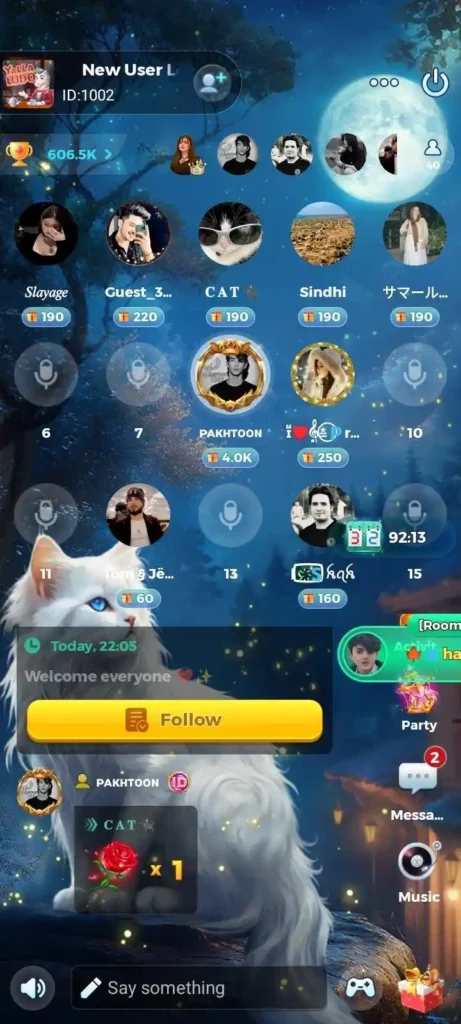
Voice chat is one of the features that separates App from many traditional Ludo applications.
The game allows players to communicate through real-time voice chat, and the app also provides public voice-chat rooms where users can interact with other players.
Yalla Technology describes App as a gaming application that incorporates in-game voice chat and localized social functionality.
Why Voice Chat Is Useful
- Communicate with teammates
- Talk with friends while playing
- Discuss the game
- Meet other players
- Participate in social rooms
Users should still follow the platform’s community and safety rules when using voice or chat features. Yalla App current policies provide reporting and blocking mechanisms for inappropriate interactions.
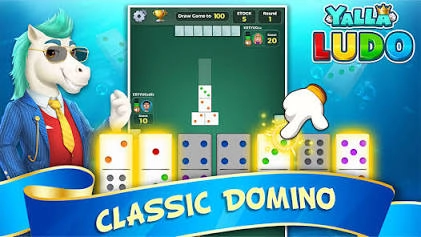
Yalla Ludo Domino
App isn’t limited to Ludo.
The current version also includes Domino, with two listed gameplay types:
| Domino Mode | Description |
|---|---|
| Draw Game | Traditional domino-style gameplay |
| All Five | Domino variant based around scoring multiples of five |
The Google Play listing confirms both 2 & 4 Player Domino options and these two gameplay types.
Yalla Ludo Jackaroo
Another major addition is Jackaroo.
The App describes its Jackaroo experience as a fast-paced game with multiple modes, including:
- Basic
- Complex
- Quick
Players can also use team-based gameplay and game stickers during matches.
This gives users another board-game option without needing a separate application.
Yalla Ludo Magic Tools
App also includes Magic tools in some Ludo gameplay modes.
These tools add another layer to the traditional dice-and-token format. Instead of relying exclusively on standard movement, players can use available game mechanics to change how a match develops.
Because game features can change through updates, players should check the current in-game interface for the Magic tools available to them.
Rewards
The App uses an in-game reward system.
According to the current Google Play description, players can receive items such as:
- Gold
- Diamonds
- Skin fragments
- Gifts
- Other rewards
Daily activities and tasks can also provide opportunities to receive rewards.
The game’s official terms also explain that Golds and Diamonds can be obtained through activities such as winning games, completing daily tasks and signing in, while some virtual items can also be purchased.
Gold vs Diamonds
| Item | General Purpose |
|---|---|
| Gold | In-game currency/rewards |
| Diamonds | Premium-style virtual currency |
| Skin Fragments | Used toward certain customization/reward systems |
| Gifts | Social/reward feature |
The availability and use of particular rewards may change with game updates.
Is Yalla Ludo Free?
App can be downloaded and played without purchasing the app itself, but it contains advertisements and in-app purchases according to its Google Play listing.
Some optional virtual items and VIP-related features can involve purchases.
The official terms explain that Golds and Diamonds may be obtained through gameplay and activities, as well as purchased through supported payment systems.
Yalla Ludo VIP
This App also offers VIP subscriptions with additional benefits.
The current Google Play listing describes VIP benefits such as daily Golds, Diamonds and VIP benefits, as well as access to privileged game rooms.
| Feature | Free Account | VIP |
|---|---|---|
| Play Ludo | Yes | Yes |
| Play Domino | Yes | Yes |
| Voice Chat | Yes | Yes |
| Daily Rewards | Available | Additional VIP benefits |
| VIP Benefits | No | Yes |
| Privileged Room | Limited/No | Available according to listing |
VIP pricing can vary by region and may change, so users should check the current price shown inside the official app or store before purchasing.
How to Download Yalla Ludo
Always make sure to download App from official and trusted sources. Nowadays, many third-party websites and unofficial platforms share fake links that may contain security risks, corrupted files, or unwanted software. To ensure your account and device remain completely safe, we strongly recommend downloading the game directly from our official website.
Can You Play Yalla Ludo Offline?
App is primarily designed around online multiplayer and social features, including online gameplay and voice chat. Yalla Technology describes it as an online board-game application.
The current Google Play listing does contain an Offline category tag, but many of the app’s major features—especially multiplayer and voice chat—depend on network connectivity.
So, if you’re writing an article about offline gaming, it is better not to describe App as a completely offline game.
Yalla Ludo Controls
The basic controls are simple and designed for touchscreen devices.
| Action | How It Works |
|---|---|
| Roll Dice | Tap the dice |
| Select Token | Tap an available token |
| Move Token | The game moves it according to the selected move |
| Voice Chat | Use the microphone/voice interface |
| Game Menu | Access settings and other options |
| Chat | Use available social/chat features |
The exact interface can vary depending on the game mode and version.
Yalla Ludo Tips and Tricks
1. Don’t Move Only One Token
A common mistake in Ludo is putting too much attention on one token.
Having multiple tokens in play can give you more movement options.
2. Watch Your Opponents
Don’t only think about your own dice roll. Look at the positions of your opponents’ tokens before deciding your move.
3. Use Safe Positions
When possible, use safe areas on the board to reduce the risk of being captured.
4. Think Before Using Special Features
If a Magic tool or other special feature is available, consider whether using it immediately actually benefits your position.
5. In Team Mode, Think as a Team
Team matches require cooperation. A move that helps your teammate can sometimes be more useful than simply advancing your own token.
6. Don’t Rush Every Move
A higher dice number isn’t always a reason to choose the most obvious move. Consider your opponent’s next possible position as well.
Yalla Ludo vs Traditional Ludo
| Feature | Traditional Ludo | Yalla Ludo |
|---|---|---|
| Physical Board | Yes | Digital |
| Dice | Physical | Digital |
| Multiplayer | Usually local | Online multiplayer |
| Voice Chat | No | Yes |
| Public Chat Rooms | No | Yes |
| Domino | No | Yes |
| Jackaroo | No | Yes |
| Team Mode | Depends on rules | Available |
| Multiple Ludo Modes | Usually limited | Yes |
| Digital Rewards | No | Yes |
The major difference is that App turns the traditional board-game experience into a digital multiplayer and social experience.
Is Yalla Ludo Safe to Download?
For the safest installation, download the application from the official Google Play listing or the developer’s official channels.
The official App policies also provide information about privacy, user interactions, reporting and blocking.
Avoid downloading modified or unofficial APK files from unknown websites because their contents cannot be assumed to be identical to the official application.
Frequently Asked Questions
Does Yalla Ludo have voice chat?
Yes. Real-time voice chat is one of its main features.
How many people have downloaded Yalla Ludo?
The current Google Play listing shows 100 million-plus downloads.
Can I play Yalla Ludo without the internet?
The app is primarily designed for online multiplayer and social interaction. Although Google Play currently includes an Offline category tag, features such as online multiplayer and voice chat require connectivity.
Final Thoughts
Yalla App is more than a basic digital Ludo game. It combines Ludo, Domino, Jackaroo, multiplayer modes, voice chat, social rooms and reward systems in one application. Its different game modes make it suitable for players who want both traditional board-game mechanics and online social interaction.
For someone looking for a digital Ludo experience, the combination of multiplayer gameplay and real-time voice chat is one of the defining features of the platform.
Download links
How to install Yalla Ludo game 2026 | Latest App Overview, Features & Tips APK?
1. Tap the downloaded Yalla Ludo game 2026 | Latest App Overview, Features & Tips APK file.
2. Touch install.
3. Follow the steps on the screen.